Connect tastytrade
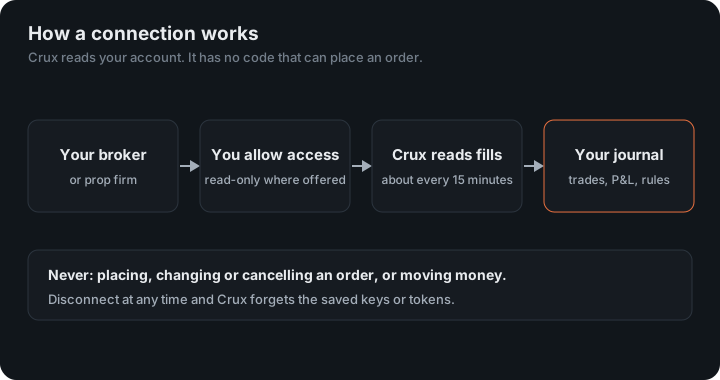
Sign in on tastytrade and grant read-only access. Stocks, options, futures and crypto.
Before you start
tastytrade only lets you grant access with two-factor authentication turned on. If it is off, turn it on in tastytrade under My Profile → Security first.
In Crux
- Choose Add broker or prop firm → Connect tastytrade.
- Choose Sign in with tastytrade. You sign in on tastytrade’s own site — Crux never sees your password.
- Grant read-only access. You land back in Crux and your trades start importing.
Which tastytrade trades come in?
Every fill in your history — stocks, options, futures and crypto — paired into trades, with options at their 100-share multiplier and futures at their point value. After that, new trades arrive on their own about every 15 minutes, and your account’s balance comes from tastytrade itself.
Crux asks tastytrade for read access only, so the connection cannot place, change or cancel an order even in principle. You can revoke it in tastytrade at any time.
How does Crux handle options and futures from tastytrade?
tastytrade reports transactions, each fill on its own. Crux stores them and pairs each position’s opening fills with the fills that closed it, first in, first out. Two details keep the numbers right:
- Options carry their 100-share multiplier, so one contract that moved $1.20 is $120 of P&L, not $1.20.
- Futures carry their own point value, so an /MES contract is worth $5 a point and /ES $50, as each contract specifies.
Stocks, options, futures and crypto all arrive through the same connection, each in its own market, so the dashboard can split them.
How much history comes in?
The first sync reads every trade transaction tastytrade holds for your account. Later syncs read only what is newer than the last fill Crux stored, about every 15 minutes. Because fills are stored, a position you opened months ago still pairs with the sale that closes it today.
What access does Crux have?
Only tastytrade’s read scope. Crux stores a refresh token, which tastytrade issues once and which lasts until you revoke it, and asks for a short-lived access token each time it syncs. Your password never reaches Crux. To end access, revoke Crux in tastytrade’s settings or disconnect it under Profile; either one stops the next sync.
Examples
- An option: buy 1 SPY call at $2.50, sell it at $3.10. That is $0.60 × 100 = $60 before fees.
- A future: buy 1 /MES, sell it 5 points higher. At $5 a point, $25.
- A partial close: buy 3 contracts, sell 1 and later 2. First in, first out, that is two trades, one for each sale, so each exit keeps its own price and time.
Figures in the example are illustrative, to show the arithmetic. Your own come from your account.
tastytrade also reports your balance, so it can drive a scaling plan without you entering deposits.
Keep reading
- Connect OANDA — Paste a read-only API token from your OANDA account.
- Connect Interactive Brokers — Set up a Flex report once in Client Portal and give Crux its token.
- Connect cTrader — Sign in on cTrader and grant read-only access. Works with every cTrader broker and prop firm.