Connect Robinhood Crypto
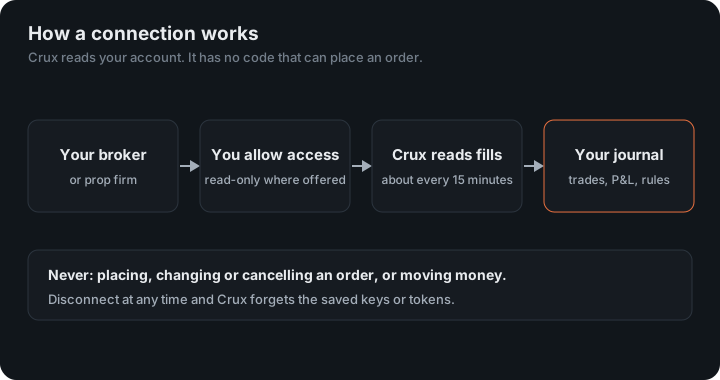
Robinhood Crypto is Robinhood's cryptocurrency trading service. Crux reads your crypto trades with an API key it creates for you.
Crux creates a key for you; paste its public half into Robinhood.
Robinhood asks you to register a public key rather than giving you a secret. Crux makes the key for you, so there’s nothing to install: the private half stays encrypted in Crux and is never shown, and you only copy the public half — which can’t be used to sign anything.
1. Create the key in Crux
- Choose Add broker or prop firm → Connect Robinhood Crypto.
- Choose Create key, then Copy to copy the public key.
2. Register it in Robinhood
- Sign in to Robinhood on the web and open your crypto account settings.
- Choose Add key and paste the public key.
- Enable only the reading actions. Leave placing and cancelling orders off.
- Save, and copy the API key Robinhood gives you.
3. Finish in Crux
- Paste the API key and choose Connect and import.
Why do Robinhood trades show no fee?
- Robinhood Crypto’s cost is built into the price you get, so trades show no separate fee.
- Start again makes a new key. The one registered in Robinhood then stops working with Crux, so register the new public key.
How does Crux turn Robinhood fills into trades?
It pairs your buys and sells first in, first out, into trades with an entry, an exit, fees and P&L. Robinhood reports fills (each buy and sell), not whole trades. A sell with no earlier buy stored — say, coins you bought before the history Crux can see — isn’t counted as a short. It’s left out rather than guessed.
Trades from Kraken, Coinbase, OKX, Crypto.com and Binance.US are paired the same way.
Why does Crux create the key?
Robinhood’s crypto API works the other way round from most exchanges. You don’t copy a secret out of Robinhood; you register a public key with Robinhood, and every request is signed with the matching private key. Making a key pair yourself means running a script, so Crux makes it for you. The private half is sealed in Crux’s vault, never shown and never sent to your browser. You only ever copy the public half, which can’t sign anything, so it is safe to paste in the open.
Which permissions should the key have?
Only the reading ones. Robinhood lets you choose what a key may do but doesn’t tell Crux what you chose, so Crux can’t refuse a key that can trade. Crux never sends an order whatever the key allows, but a key that can only read is safer to have anywhere.
How are trades built?
Robinhood reports orders with their executions: the price, quantity and time of each fill. Each execution is stored as a fill and paired into trades with every other fill, first in, first out. Each sync re-reads the last three days, so a fill that Robinhood records late isn’t missed; fills already stored are recognised and not counted twice.
An example
You buy 0.01 BTC at $60,000 and sell it at $63,000. Crux records one trade of $30. There is no separate fee, because Robinhood Crypto’s cost is in the price you get rather than charged on top, so the fee column shows zero.
Figures in the example are illustrative, to show the arithmetic. Your own come from your account.
Deposits and transfers
Only trades come in. Coins sent to or from Robinhood aren’t trades, so they stay out of your P&L, and a sale of coins you transferred in has no buy to pair with, so it is left out rather than counted as a short.
Starting again
Start again makes a new key pair. The public key you registered before stops working with Crux, so register the new one in Robinhood. Disconnecting deletes the private half from Crux’s vault; delete the API key in Robinhood too.
This connection is Robinhood Crypto only. Stocks and options traded on Robinhood aren’t part of it: export those from Robinhood and import the file.
The key pair is an Ed25519 pair, the signature scheme defined in RFC 8032, as Robinhood’s Crypto Trading API documentation requires.
Keep reading
- Connect Crypto.com Exchange — Create an API key on the Crypto.com Exchange with trading off.
- Connect Binance.US — Create a read-only API key in Binance.US.
- Connect OKX — Create a read-only API key and passphrase in OKX.