Connect NinjaTrader or Tradovate
NinjaTrader and Tradovate are futures trading platforms that run on the same accounts, including many prop firm accounts. Crux reads your fills with one sign-in.
One read-only sign-in for any account that runs on Tradovate — prop firm accounts included.
One read-only sign-in covers any account that runs on Tradovate, whether you trade it in NinjaTrader or in Tradovate itself. It doesn’t need Tradovate’s paid API add-on, and it works with prop firm evaluation and funded accounts — Apex, Bulenox, Take Profit and others on Tradovate — as well as your own.
Connect
- Choose Add broker or prop firm → Connect NinjaTrader or Tradovate.
- Choose Sign in with Tradovate. You sign in on Tradovate’s own site — Crux never sees your password.
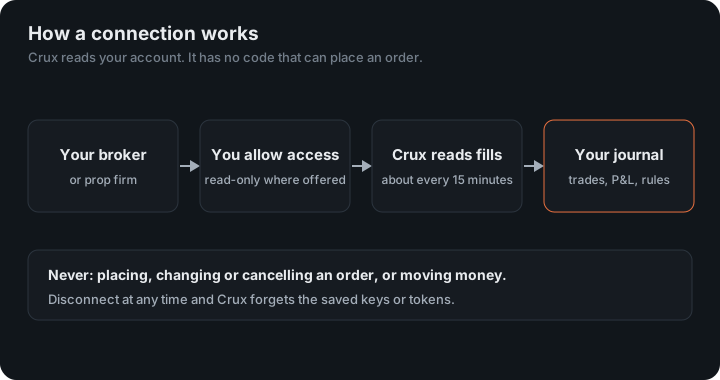
- Approve read-only access. You land back in Crux and your trades start importing.
Trades from before you connected
Tradovate’s connection only hands over the current trading session, and clears it at 5pm Eastern each day. Crux checks every 15 minutes, so every day from the one you connect is caught as you trade. For your history, import Tradovate’s Performance CSV once (Reports → Performance → Download CSV, then import the file). Trades that arrive both ways are recognised and counted once.
On Rithmic?
Accounts that run on Rithmic rather than Tradovate don’t go through this sign-in. Export your trades from NinjaTrader and import the file.
More on using Crux with NinjaTrader: Trading platform.
What does “one sign-in” cover?
NinjaTrader and Tradovate run on the same accounts, so one sign-in with Tradovate covers both, along with every account your login can see. That includes prop firm evaluation and funded accounts, which run on Tradovate’s demo servers because they trade simulated money; Crux reads both the live and demo servers with the same sign-in and finds each account where it lives.
If the connection drops
Tradovate issues access that lasts about 80 minutes and is renewed while it still works. Crux renews it on each sync, so a connection stays up while Crux is checking. If it lapses, Crux shows Reconnect; sign in with Tradovate again and syncing carries on from that day.
An example
You buy 2 MES at 5,000.00 and sell both at 5,012.50. MES is worth $5 a point, so 12.5 points on 2 contracts is $125 before commissions. Crux knows each contract’s point value, so ES at $50 a point, NQ at $20 and MNQ at $2 come out right without you setting anything.
Figures in the example are illustrative, to show the arithmetic. Your own come from your account.
Tracking the evaluation
Each account arrives on its own, so you can set an Apex or other Tradovate account up as a prop firm evaluation. The Apex 50K presets, intraday or end-of-day trailing, are a starting point; check every number against your own account.
Several accounts on one login
Every account your Tradovate login can see arrives on its own, so three evaluations and your own account are four accounts in Crux, each with its own trades and filters. When an evaluation ends, Archive it on the Evaluation page to keep its record without it cluttering the board.
Micro and mini contracts are kept apart by their symbols, so MES and ES trades are never paired with each other, and each is priced at its own point value.
The connection uses Tradovate’s API. Point values are the exchange’s own: see CME’s specifications for the Micro E-mini S&P 500, $5 a point, and the E-mini S&P 500, $50.
Keep reading
- Connect Binance.US — Create a read-only API key in Binance.US.
- Connect Topstep — Connect TopstepX with your username and a ProjectX API key.
- Connect Robinhood Crypto — Crux creates a key for you; paste its public half into Robinhood.
- Trading platform