Connect Interactive Brokers
Interactive Brokers is a broker for stocks, options, futures and forex. Crux reads your trades from a Flex report you set up once.
Set up a Flex report once in Client Portal and give Crux its token.
Interactive Brokers doesn’t need a password or an app registration. You create a report in Client Portal and a token for it, and Crux reads that one report. Futures, forex, stocks and options all work.
In Client Portal, once
- Go to Performance & Reports → Flex Queries and create an Activity Flex Query.
- Include the Trades section. Tick at least: symbol, buy/sell, quantity, trade price, commission, date/time, account id and multiplier.
- Set the format to XML, save, and note the Query ID.
- Open Flex Web Service and generate a token. Set its expiry as far out as it allows — the default is only a few hours.
In Crux
- Choose Add broker or prop firm → Connect Interactive Brokers.
- Paste the Flex token and the Query ID.
- Choose Connect and import.
Why did Interactive Brokers stop syncing?
The Flex token has an expiry date. When it runs out, generate a new one in Client Portal and paste it into Crux again.
Why does the first import take a minute?
Interactive Brokers builds a Flex report on request rather than serving it at once. Crux asks for the report, waits while IB prepares it, and reads it when it is ready. IB also allows only one request a second and ten a minute for each token, so Crux spaces its requests instead of racing them. A pause on the first import is normal, not a fault.
What should the Flex query include?
The Trades section with at least symbol, buy/sell, quantity, trade price, commission, date/time, account id and multiplier. The multiplier matters most: without it, an options or futures trade would be priced as if one contract were one share. If numbers look hundreds of times too small on options, the multiplier column is usually missing from the query.
How far back does it go?
As far as the query’s period allows. IB caps a single Flex query at 365 days, so set the period to the last 365 days to bring in a year; later syncs fetch the report again and Crux keeps only trades it doesn’t already have.
How are trades built?
The report lists executions. Crux pairs them first in, first out, the same way it pairs a CSV import, with each execution’s commission shared across the shares or contracts it covered.
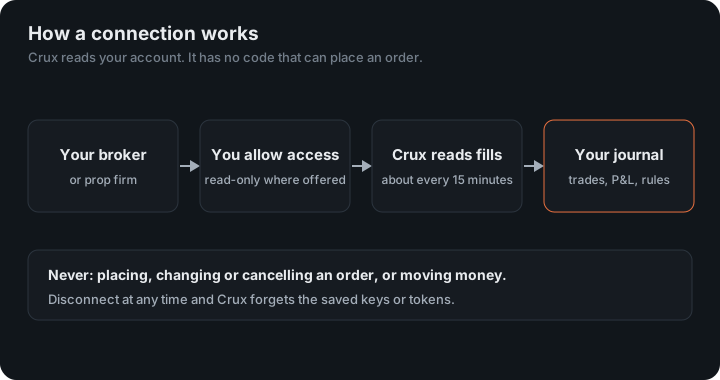
Retrieving a Flex report doesn’t use your IB username or password, and the token reads that one report and nothing else. You can revoke it from the same Client Portal screen.
An example: options
You buy 2 call contracts at $1.50 and sell them at $2.10. With IB’s multiplier of 100, that is $0.60 × 100 × 2 = $120 before commissions. Without the multiplier column in the query it would read as $1.20, which is why the steps above ask for it.
Figures in the example are illustrative, to show the arithmetic. Your own come from your account.
Several accounts
A Flex query can cover every account under your login. Each trade carries its account id, so each account arrives on its own in Crux and you can filter by it. Futures come with their multiplier from the report too, so a futures trade is priced at its point value, not as one unit per point.
The two-step request and the pacing limits come from Interactive Brokers’ own Flex Web Service documentation. Futures multipliers match the exchange’s contract specifications, for example CME’s E-mini S&P 500 at $50 a point.
Keep reading
- Connect tastytrade — Sign in on tastytrade and grant read-only access. Stocks, options, futures and crypto.
- Connect Kraken — Create a read-only API key in Kraken.
- Connect OANDA — Paste a read-only API token from your OANDA account.