Connect DXtrade
Sign in with your DXtrade login, where your firm allows it.
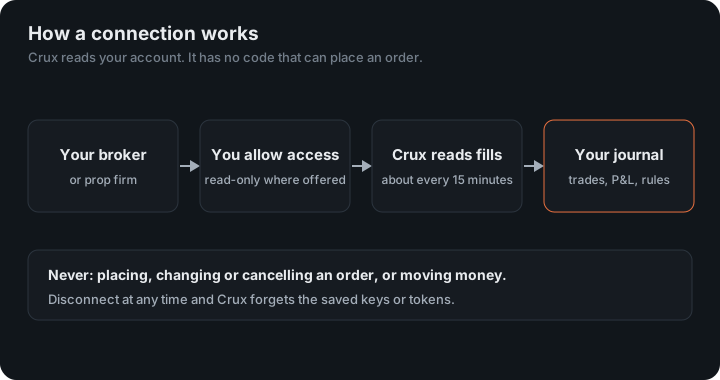
DXtrade is the platform behind firms such as Tradeify 247. Crux signs in with the same login you trade with and reads your history through DXtrade’s own API.
In Crux
- Choose Add broker or prop firm → Connect DXtrade.
- Enter the web address you sign in to DXtrade at, for example dx.tradeify247.co. Pasting the whole address from your browser is fine.
- Enter your DXtrade login and password.
- Choose Connect and import.
If Crux says your firm has switched the API off
Each firm decides whether its traders may use DXtrade’s API. If yours has turned it off, Crux can’t read the account directly. Export your history and import the file instead — and tell your firm you’d like it switched on.
What does Crux import from DXtrade?
Your completed orders, paired first in, first out into trades, and each account’s balance. Currency pairs are shown in lots. DXtrade’s history doesn’t include commissions or swaps, so P&L is before them. Something look wrong? Email support@cruxjournal.com and we’ll fix it quickly.
How are trades and P&L built?
DXtrade’s order history lists each filled leg but no P&L per trade, so Crux pairs the fills first in, first out, per account and instrument. Currency pairs are converted from units to lots (100,000 units to a standard lot), like every other source. Other instruments stay in units, priced one to one.
What isn’t in the history
- Commissions and swaps, so P&L is before them.
- Hedging. If your account allows a long and a short open on the same instrument at once, Crux still pairs first in, first out, as a netting account would. Totals match; individual trade entries may differ from how the platform shows a hedge.
P&L is in the instrument’s quote currency and converted where the conversion is exact, the same as for TradeLocker.
Is the web address safe to type in?
Crux only connects to a public HTTPS address. It won’t follow an address to a private network or an IP number, so a mistyped address simply fails rather than reaching something it shouldn’t. Your login is kept encrypted, used only to read, and deleted when you disconnect.
An example
You buy 1 lot of EUR/USD at 1.0800 and sell it at 1.0820. DXtrade reports both legs in units; Crux shows 1 lot and $200 before costs, paired first in, first out.
Figures in the example are illustrative, to show the arithmetic. Your own come from your account.
If your firm’s address changes
Disconnect DXtrade under Profile and connect again with the new address. Trades already imported stay.
Keep reading
- Connect TradeLocker — Sign in with your TradeLocker login. Prop firm accounts included.
- Connect Topstep — Connect TopstepX with your username and a ProjectX API key.
- Connect NinjaTrader or Tradovate — One read-only sign-in for any account that runs on Tradovate — prop firm accounts included.